Interval Operations
The Interval class provides several operations to manipulate and combine interval objects.
First, let’s create some simple intervals:
from temporaldata import Interval
import numpy as np

# Create two intervals: [1, 8] and [12, 18]
interval1 = Interval(start=np.array([1., 12.]),end=np.array([8., 18.]))

# Create three intervals: [2, 5], [7, 10], and [14, 17]
interval2 = Interval(start=np.array([2., 7., 14.]), end=np.array([5., 10., 17.]))
Typically for most operations that involve multiple Interval objects,
each Interval object must be disjoint and sorted.
You can check these conditions using:
interval.is_disjoint()  # Returns True if intervals don't overlap
interval.is_sorted()    # Returns True if intervals are sorted by start time
Intersection
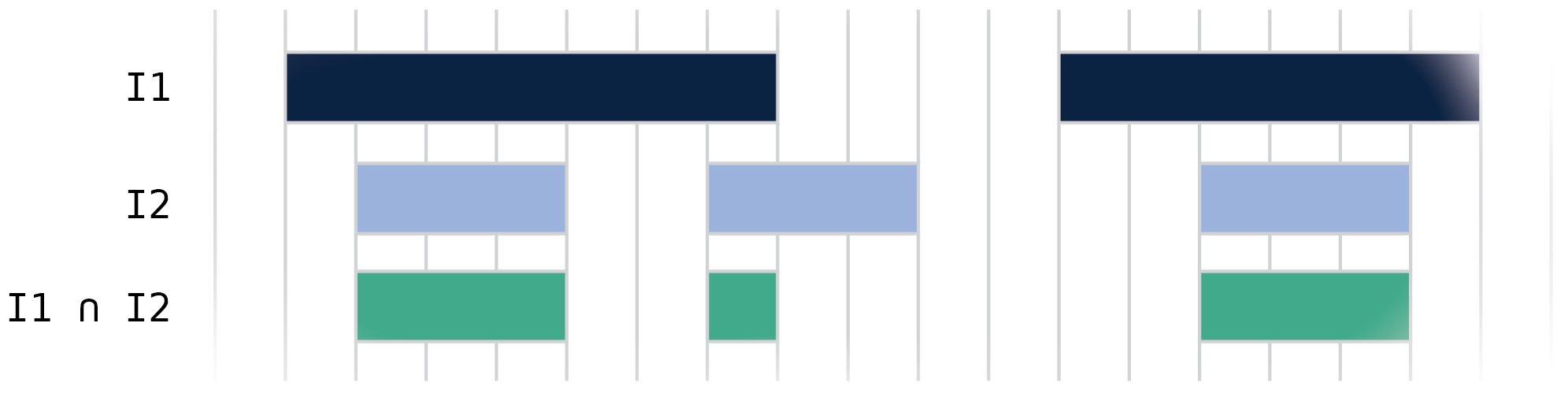
The intersection operation (&) returns a new Interval
containing only the overlapping time periods between two Interval objects.
# Compute intersection
intersection = interval1 & interval2

# Result will contain [2, 5], [7, 8] and [14, 17] as these are the overlapping periods
print(intersection.start)  # [2., 7., 14.]
print(intersection.end)    # [5., 8., 17.]
Union
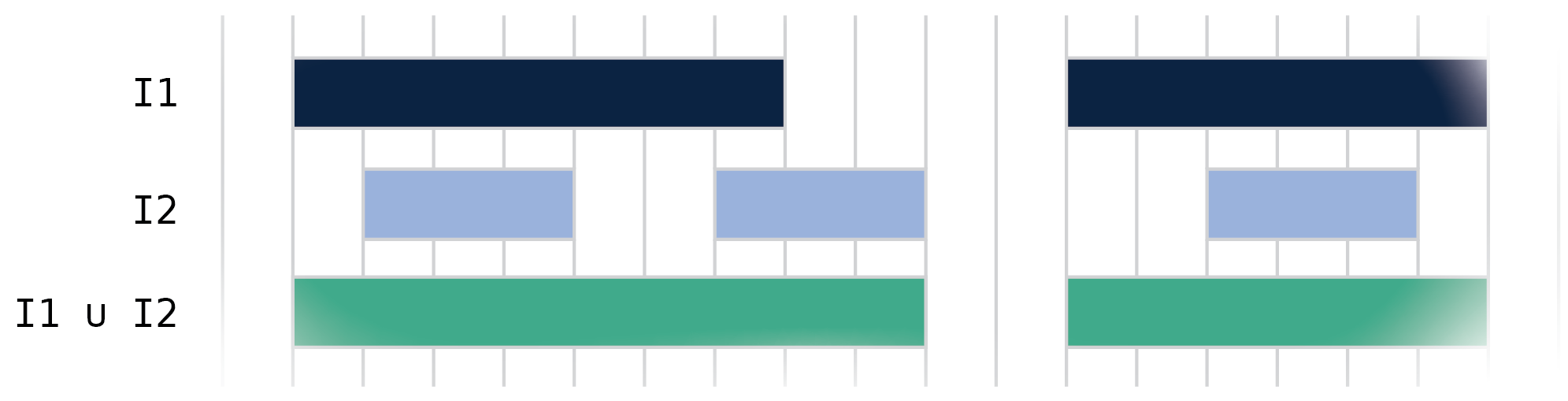
The union operation (|) returns a new Interval
containing the union of all intervals in both objects.
# Compute union
union = interval1 | interval2

# Result will contain [1, 10] and [12, 18]
print(union.start)  # [ 1., 12.]
print(union.end)    # [10., 18.]
Difference
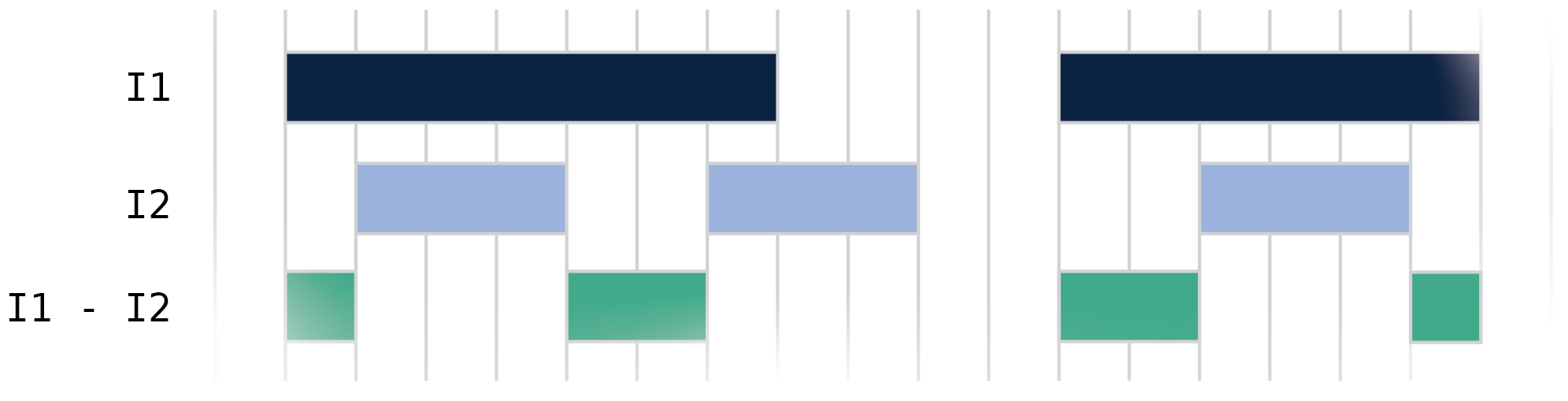
The difference operation (.difference()) returns a new Interval containing time periods that are in the first interval but not in the second interval.
# Compute difference
difference = interval1.difference(interval2)

# Results in intervals: [1, 2], [5, 7], [12, 14], and [17, 18]
print(difference.start)  # [1., 5., 12., 17.]
print(difference.end)    # [2., 7., 14., 18.]
Dilation
The dilation operation (.dilate()) expands each interval by a specified amount on both sides. This is useful for creating buffer periods around intervals or merging nearby intervals.

# Create three intervals: [1, 5], [10, 13.5], and [14, 18]
interval = Interval(start=np.array([1.0, 10.0, 14.0]), end=np.array([5.0, 13.5, 18.]))

# Dilate by 0.5 on each side
dilated = interval.dilate(0.5)

# Results in intervals: [0.5, 5.5], [9.5, 13.75], and [13.75, 18.5]
print(dilated.start)  # [0.5 , 9.5 , 13.75]
print(dilated.end)    # [5.5 ,13.75, 18.5 ]
The dilation operation is particularly useful when you need to:
Create buffer periods around events
Account for uncertainty in interval boundaries
Merge intervals that are close together
Coalescing
The coalesce operation (.coalesce()) merges overlapping or touching intervals into single continuous intervals. This is useful for simplifying interval sets and removing gaps below a certain threshold.

# Create four intervals [1, 6], [6.1, 11], [11.3, 14.5], and [14.5, 17.8]
interval = Interval(
    start=np.array([1., 6.1, 11.3, 14.5]), end=np.array([6., 11., 14.5, 17.8])
)


# Coalesce intervals that are within 0.2 of each other
coalesced = interval.coalesce(0.2)

# [6-6.1] and [14.5-14.5] merged, [11-11.3] unchanged
print(coalesced.start)  # [ 1., 11.3]
print(coalesced.end)    # [11., 17.8]
The coalesce operation is useful for:
Cleaning up noisy interval data
Merging intervals that are effectively continuous
Simplifying interval representations
You can combine coalesce with dilate to merge intervals within a certain distance:
# Create two intervals [1, 2.5], and [3, 4]
interval = Interval(start=np.array([1., 3.]), end=np.array([2.5, 4.]))

# Merge intervals within distance 0.5
merged = interval.dilate(0.5).coalesce()

print(merged.start)  # [0.5]
print(merged.end)    # [4.5]
There are multiple edge cases that can occur when performing interval operations. For more details, see Interval Operations - Edge Cases.